Using New API with Roo Code
Install RooCode in VSCode
Search for RooCode in VSCode and install it.
Visit https://model.imkk.us/console/token to get your API Key
Add Provider
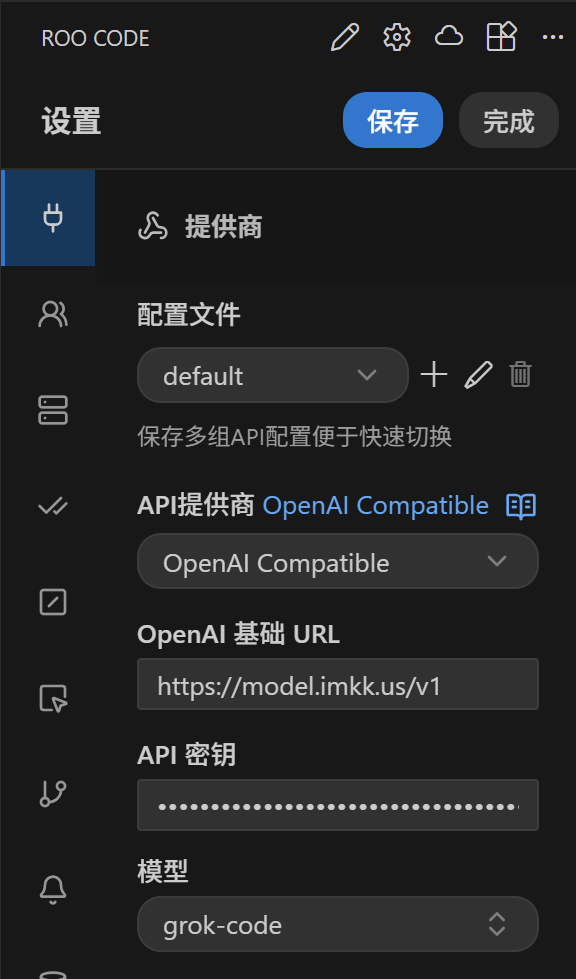
After completing the Roo Code installation, you can open Roo Code, select configure provider, and add a new OpenAI Compatible provider. The specific configuration items can be referenced:
- OpenAI Base URL:
https://model.imkk.us/v1 - API Key: The Key you created at https://model.imkk.us/console/token
- Model:
gpt-5
After configuration is complete, save and you can use it.