Using New API with Kilo Code
Install Kilo Code in VSCode
Search for Kilo Code in VSCode and install it.
Visit https://model.imkk.us/console/token to get your API Key
Add Provider
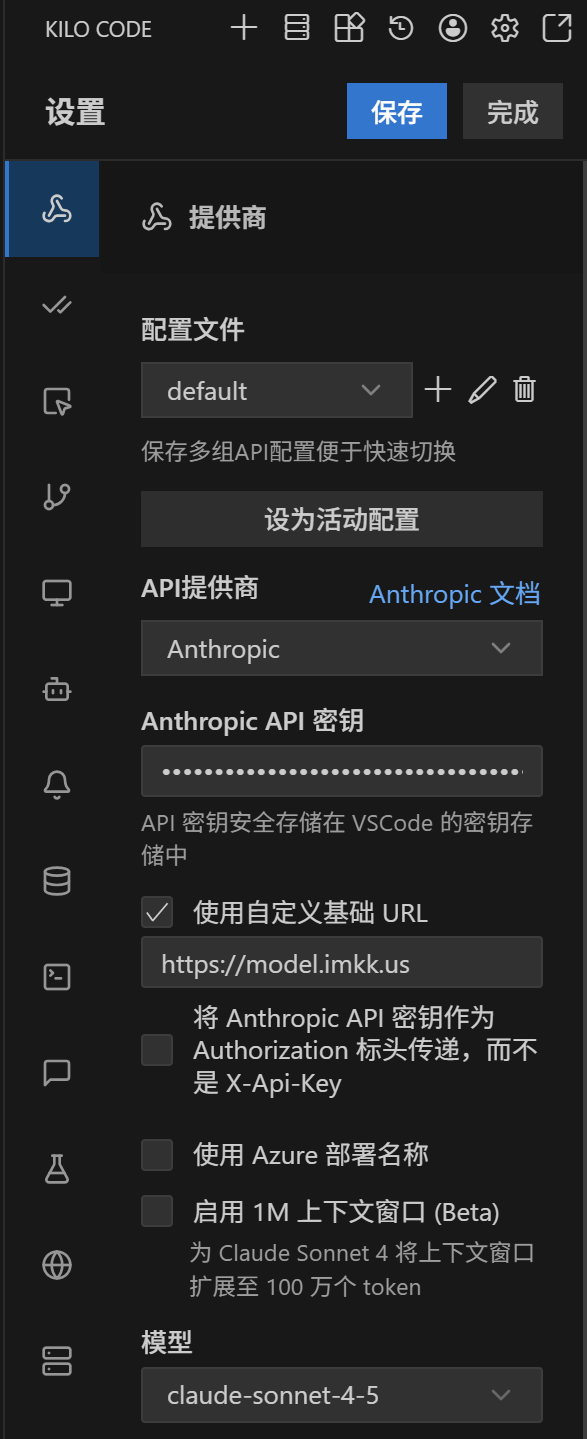
After completing the Kilo Code installation, you can open Kilo Code, select configure provider, and add a new OpenAI Compatible provider. The specific configuration items can be referenced:
- OpenAI Base URL:
https://model.imkk.us/v1 - API Key: The Key you created at https://model.imkk.us/console/token
- Model:
grok-code, you can also change it togemini-3-pro-highorglm-4.6and other models.
After configuration is complete, save and you can use it.
Using Claude Models in Kilo Code
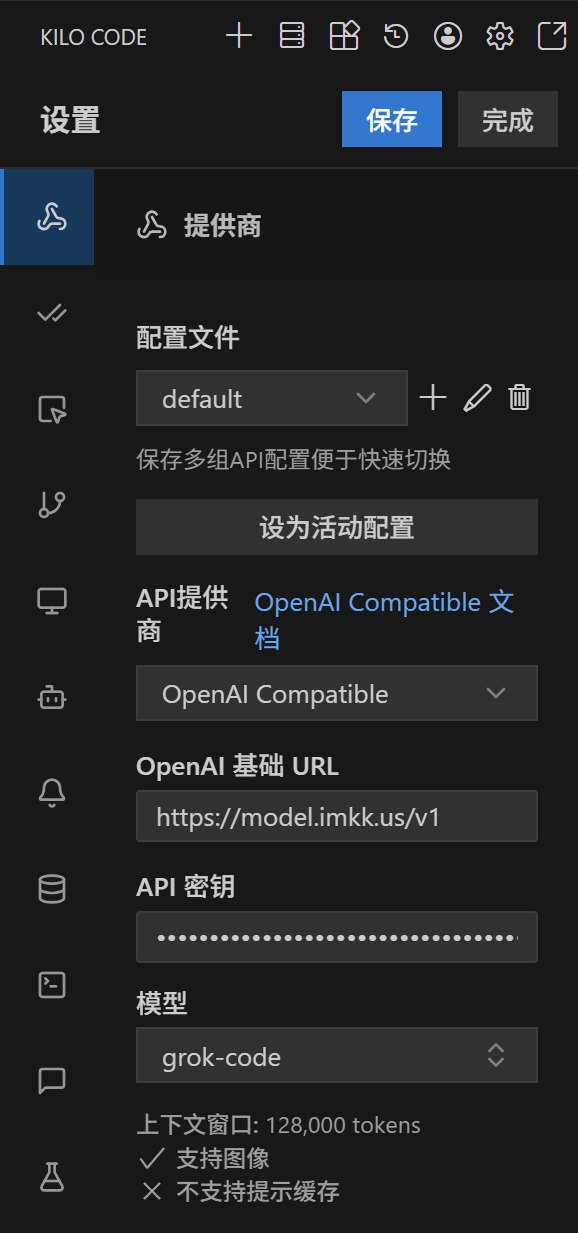
For Claude models, we support direct configuration. Select configure provider and add a new Anthropic provider. The specific configuration items can be referenced:
- Use custom base URL:
https://model.imkk.us - API Key: The Key you created at https://model.imkk.us/console/token
- Model:
claude-sonnet-4-5, or other Claude models supported in the model marketplace.
After configuration is complete, save and you can use it.